

1. Introduction: The Hidden Chaos Behind Every Video Project
Imagine this scenario: Your video production team is juggling five projects simultaneously. Draft files are scattered across Google Drive, Dropbox, and local hard drives. A client just emailed revision notes — but they conflict with feedback left in a Slack thread three days ago. Meanwhile, your editor is waiting on approvals that have been stuck in someone’s inbox for a week. Deadlines are slipping, tempers are rising, and nobody can find the latest version of the final cut.
If this sounds painfully familiar, you are not alone. Video production is one of the most complex, collaborative, and asset-heavy creative disciplines in the modern digital landscape. Unlike writing a blog post or designing a static graphic, video projects involve massive files, non-linear editing timelines, multiple revision rounds, cross-functional teams, and clients who need to review visual content — not just read a document.
General-purpose project management tools like Trello, Notion, or Basecamp can help organize tasks, but they were never designed with the unique demands of video workflows in mind. They lack native video review capabilities, frame-accurate commenting, version control for large media files, and the structured approval pipelines that video teams depend on daily.
This is precisely why video project management software has emerged as a critical category of tools. These specialized platforms are built from the ground up to address the distinct challenges of video production — from pre-production planning to final delivery. They streamline the entire video project workflow, making it possible for teams to collaborate efficiently, meet deadlines consistently, and deliver exceptional work without the chaos.
In this comprehensive guide, we will explore exactly what video project management software is, who it is built for, what features to look for, how it differs from general project management tools, and how to choose the right platform for your team. Whether you are a solo YouTuber, a freelance video editor, or the head of a multi-person production agency, this article will give you the knowledge to make an informed decision.
2. What is Video Project Management Software?
Video project management software is a category of digital tools specifically designed to plan, organize, track, and streamline the entire lifecycle of video production projects. Unlike generic task managers, these platforms are purpose-built to handle the unique requirements of video workflows — including large file management, visual review and annotation, frame-level commenting, multi-version tracking, and structured client approval processes.
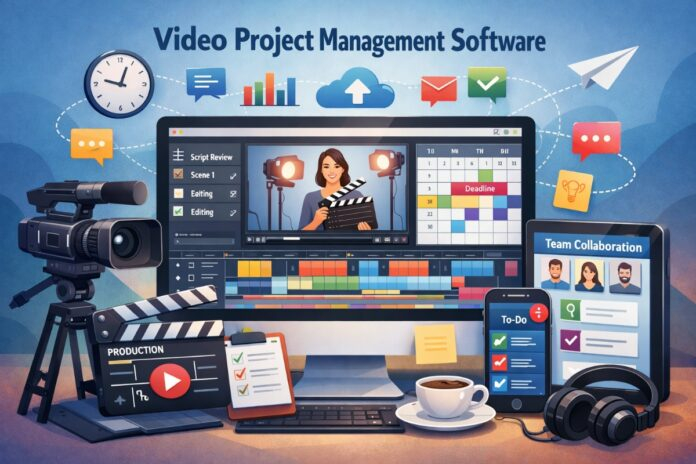
At its core, video production management software serves as a centralized hub where every stakeholder in a video project — editors, directors, producers, clients, and marketing teams — can collaborate in real time. It brings together project planning, asset management, communication, and delivery into a single, unified environment.
In simple terms: Video project management software is the command center for your video production operation. It replaces the patchwork of emails, shared folders, spreadsheets, and messaging apps with one purpose-built platform that understands how video teams actually work.
These tools typically support the full video production pipeline, including pre-production (scripting, storyboarding, scheduling), production (asset logging, shoot management), and post-production (editing, review, color grading, sound design, final delivery). The best platforms integrate seamlessly with popular editing tools like Adobe Premiere Pro, After Effects, DaVinci Resolve, and Final Cut Pro.
3. Why Video Teams Need Project Management Software
Video production is inherently more complex than most creative workflows. Here is why specialized video workflow management tools are not just nice to have — they are essential:
Fragmented Communication
Feedback arrives from multiple channels — email, Slack, text messages, phone calls, comments on shared drives. Without a central platform, critical notes get lost, duplicated, or misunderstood. Video collaboration software solves this by consolidating all communication in context, directly on the video itself.
Revision Overload
Video projects typically go through multiple rounds of revisions. Without proper version control, teams end up working on outdated files, re-doing work that was already approved, or accidentally overwriting someone else’s changes. This is one of the most expensive problems in video production.
Large File Logistics
Raw video files can range from gigabytes to terabytes. Moving these files between team members, clients, and storage systems is a constant bottleneck. Video editing workflow software often includes built-in file sharing, cloud storage integration, and proxy-based review systems that eliminate this friction.
Approval Bottlenecks
One of the biggest causes of missed deadlines in video production is waiting for approvals. Clients or stakeholders may not know where to review content, may forget to provide feedback, or may give unclear direction. Structured approval workflows with notifications and deadlines solve this problem systematically.
Deadline Pressure
Video projects often have hard deadlines tied to campaign launches, broadcast schedules, or event dates. Without clear timeline visibility and automated reminders, it is easy for deadlines to slip until it is too late to recover.
Team Coordination
Modern video projects involve editors, colorists, sound designers, motion graphics artists, producers, and often external freelancers. Coordinating handoffs, dependencies, and availability across this many people requires purpose-built project tracking tools.
4. Key Features of Video Project Management Software
Not all video collaboration software is created equal, but the best platforms share a common set of core features. Here is what to look for:
Project Tracking & Dashboards
Visual dashboards showing project status, progress percentages, overdue tasks, and upcoming milestones. Multiple view options including Kanban boards, Gantt charts, list views, and calendar views give teams flexibility in how they monitor work.
Client Collaboration Portals
Dedicated spaces where clients can review content, leave feedback, and approve deliverables — without needing to join the team’s internal workspace or download specialized software. This is a defining feature of video-specific tools.
Video Review & Approval
Frame-accurate commenting directly on the video timeline, visual annotation tools, version comparison, and structured approval workflows with clear accept/reject/revision-needed states. This is perhaps the single most important feature.
Timeline & Deadline Management
Interactive timelines, milestone tracking, automated deadline reminders, and dependency management. Teams can visualize the entire project lifecycle and identify potential bottlenecks before they become critical problems.
Team Communication
In-context messaging, threaded discussions on specific tasks or assets, @mentions, and notification systems that keep everyone informed without the noise of general-purpose chat tools. Communication stays tied to the work itself.
File Sharing & Storage
Cloud-based storage optimized for large media files, integration with external storage (Google Drive, Dropbox, S3), proxy generation for fast streaming reviews, and organized asset libraries with search and tagging capabilities.
Workflow Automation
Rule-based automation that handles repetitive tasks: automatically notifying reviewers when a new version is uploaded, moving projects to the next stage when approved, sending deadline reminders, and generating status reports.
Integrations & API
Seamless connections with editing software (Premiere Pro, DaVinci Resolve), cloud storage providers, communication tools (Slack, Teams), and other business systems. The best platforms fit into existing workflows rather than replacing them.
5. Benefits of Using Video Project Management Software
Adopting a dedicated video production management software solution delivers tangible, measurable improvements across your entire operation. Here are the practical benefits:
Faster Project Delivery
By eliminating communication gaps, reducing revision cycles, and automating routine tasks, teams consistently deliver projects faster. Structured approval workflows alone can cut days or even weeks from typical project timelines by removing the ambiguity of “who needs to approve what, and when.”
Better Client Satisfaction
Clients appreciate professional, organized workflows. When they can review videos in a clean, intuitive interface — with frame-accurate commenting and clear approval buttons — they feel confident in your team’s capabilities. Transparency into project progress also reduces “where is my video?” inquiries.
Organized Workflow
Every asset, every comment, every version, and every decision lives in one place. No more digging through email threads, searching Slack history, or wondering which file on the shared drive is the “real final” version. This organization compounds over time as your library of completed projects grows.
Improved Team Productivity
When editors spend less time managing logistics and more time editing, the entire team becomes more productive. Studies suggest that knowledge workers spend nearly 60% of their time on “work about work” — coordination, searching for information, and status updates. Video PM software dramatically reduces this overhead.
Scalability
As your team grows or your project volume increases, a robust video project workflow system scales with you. What works for three projects a month still works for thirty — because the processes, templates, and automation are already in place.
6. Who Should Use Video Project Management Software?
Video project management software is not limited to large production studios. It benefits a wide range of professionals and teams:
- Video Editors: Whether freelance or in-house, editors benefit from organized project files, clear revision instructions, and structured feedback. No more guessing what the client meant by “make it pop.”
- Video Production Agencies: Agencies managing multiple clients and projects simultaneously need robust workflow tracking, client portals, and resource management. This is where video PM software delivers the most transformative value.
- YouTubers & Content Creators: Solo creators and small teams managing regular content schedules can use these tools to plan content calendars, track editing progress, manage collaborations with sponsors or guests, and streamline their publishing pipeline.
- Marketing Teams: In-house marketing departments producing video campaigns, social media content, product videos, and event coverage need to coordinate with internal stakeholders, external agencies, and leadership approvals — all while maintaining brand consistency.
- Freelancers: Independent video professionals working with multiple clients benefit from the professional appearance and organizational discipline that dedicated PM tools provide. Client portals and structured approval processes are especially valuable for building trust and reducing scope creep.
7. General Project Management Software vs. Video Project Management Software
Understanding the distinction between general-purpose tools and specialized video editing workflow software is critical for making the right investment. Here is a detailed comparison:
| Feature / Capability | General PM Software | Video PM Software |
|---|---|---|
| Task & project tracking | ✅ Yes | ✅ Yes |
| Video playback & streaming | ❌ No | ✅ Built-in |
| Frame-accurate commenting | ❌ No | ✅ Yes |
| Visual annotation on video | ❌ No | ✅ Yes |
| Version control for video files | ⚠️ Basic | ✅ Advanced |
| Client review portals | ⚠️ Limited | ✅ Purpose-built |
| Large file handling | ❌ Not optimized | ✅ Optimized |
| Editing software integration | ❌ No | ✅ Premiere, DaVinci, etc. |
| Proxy-based review | ❌ No | ✅ Yes |
| Approval workflows | ⚠️ Generic | ✅ Video-specific |
The bottom line: General PM tools are excellent for managing tasks and timelines, but they fundamentally lack the media-native capabilities that video teams require. If video production is a significant part of your business, investing in dedicated video collaboration software will pay for itself in time saved and headaches avoided.
8. How to Choose the Right Video Project Management Software
With several options available in the market, choosing the right platform requires careful consideration. Here are the key selection criteria:
1. Assess Your Workflow Needs
Map out your current video production workflow from start to finish. Identify the biggest pain points — is it review and approval? File management? Client communication? Choose a tool that directly addresses your most pressing challenges.
2. Team Size & Collaboration Model
Consider how many people will use the platform and how they collaborate. A solo freelancer needs different capabilities than a 50-person agency. Evaluate pricing models (per-user vs. flat rate) and collaboration features accordingly.
3. Integration Ecosystem
The software should integrate with tools your team already uses — editing software, cloud storage, communication platforms, and billing systems. An isolated tool that requires duplicating work defeats the purpose.
4. Client Experience
If you work with external clients, evaluate the review and approval experience from the client’s perspective. It should be intuitive, require no account creation or software installation, and provide a professional, branded experience.
5. File Handling Capabilities
Ensure the platform can handle your file sizes and formats. Check upload limits, streaming quality, supported codecs, and storage pricing. For teams working with 4K or 8K footage, this is especially critical.
6. Scalability & Pricing
Choose a platform that can grow with your business. Look for flexible pricing tiers, reasonable storage limits, and enterprise options if you anticipate significant growth. Avoid tools that become prohibitively expensive as you scale.
7. Security & Permissions
Video content is often confidential before release. Evaluate the platform’s security features — encryption, access controls, watermarking, password-protected links, and audit trails. This is non-negotiable for agencies working with brand clients.
9. Examples of Video Project Management Software
Here are some of the most notable platforms in the video production management software space, each with a different focus and strength:
Timeliner.io
A dedicated video project management platform built specifically for video agencies and production teams. Timeliner combines project tracking, client collaboration portals, video review and approval, and workflow automation into a single, cohesive experience. It is particularly well-suited for agencies managing multiple client projects with complex approval requirements.
Industry Standard
Frame.io (by Adobe)
Now part of the Adobe ecosystem, Frame.io is widely recognized for its excellent video review and collaboration capabilities. Frame-accurate commenting, version stacking, and deep integration with Adobe Premiere Pro and After Effects make it a natural choice for teams already in the Adobe ecosystem. Its strength is primarily in the review and approval phase of production.
General + Video
Monday.com
A versatile work management platform that, while not video-specific, offers customizable workflows that many video teams adapt for production management. Its strength lies in project tracking, team coordination, and automation. However, it lacks native video review and frame-accurate commenting capabilities.
Task Management
Asana
Similar to Monday.com, Asana is a powerful general project management tool that some video teams use for task tracking and coordination. It excels at timeline visualization, workload management, and integrations. Like other general tools, it requires supplemental software for actual video review and approval workflows.
💡 Pro Tip: Many successful video teams use a combination of tools — a video-native platform like Timeliner.io or Frame.io for review and approval, paired with a general PM tool for broader project coordination. The key is ensuring the tools integrate well and don’t create information silos.
10. The Future of Video Workflow Management
The video production industry is evolving rapidly, and video workflow management tools are evolving with it. Here are the key trends shaping the future of this category:
AI-Powered Automation
Artificial intelligence is beginning to automate time-consuming tasks like transcription, auto-captioning, content tagging, rough cut assembly, and even intelligent review summarization. Future platforms will leverage AI to suggest edits, predict project timelines based on historical data, and automatically route content through approval workflows.
Real-Time Cloud Collaboration
Just as Google Docs transformed document collaboration, the next generation of video tools will enable real-time collaborative editing and review — where multiple team members can work on and discuss the same timeline simultaneously, regardless of location.
Deeper NLE Integration
Expect tighter integration between project management platforms and non-linear editing systems (NLEs). The goal is a seamless experience where feedback from the PM tool appears directly in the editor’s timeline, and project status updates automatically as editing milestones are reached.
Advanced Analytics & Reporting
Data-driven insights into team performance, project profitability, bottleneck identification, and resource utilization will become standard features. Teams will be able to optimize their workflows based on hard data rather than intuition.
Remote-First Architecture
With distributed teams becoming the norm rather than the exception, future video project management software will be built with remote collaboration as the primary use case — not an afterthought. This means better streaming performance, lower latency review, offline capabilities, and time zone-aware scheduling.
Frequently Asked Questions (FAQ)
What is video project management software used for?
Video project management software is used to plan, organize, track, and streamline the entire video production process — from initial concept and pre-production through editing, review, approval, and final delivery. It centralizes communication, file management, client collaboration, and workflow automation in one platform specifically designed for how video teams work.
How is video PM software different from regular project management tools?
The primary differences are media-native capabilities. Video PM software includes built-in video playback and streaming, frame-accurate commenting, visual annotation, version control specifically designed for large media files, client review portals, and integrations with video editing software like Premiere Pro and DaVinci Resolve. General PM tools handle tasks and timelines well but lack these video-specific features.
Can freelancers benefit from video project management software?
Absolutely. Freelancers benefit significantly from the professional client-facing experience these tools provide. Client review portals, structured approval workflows, and organized project histories help freelancers build trust, reduce miscommunication, prevent scope creep, and present a polished, agency-level experience even as a one-person operation.
What are the most important features to look for?
The most critical features are: video review and approval with frame-accurate commenting, version control, client collaboration portals, large file handling, workflow automation, integrations with your existing editing software, and clear project tracking dashboards. Prioritize based on your team’s biggest pain points — if client approvals are your bottleneck, focus on that capability first.
Is video project management software worth the investment for small teams?
Yes. In fact, small teams often see the most dramatic improvements because each person wears multiple hats and has less margin for inefficiency. The time saved on file management, revision tracking, and client communication alone typically justifies the investment within the first month. Many platforms offer affordable tiers specifically designed for small teams and individual creators.
11. Conclusion
The video production landscape has changed dramatically over the past decade. Content demands are higher than ever, teams are increasingly distributed, clients expect faster turnarounds, and the volume of video content being produced globally continues to grow exponentially. In this environment, relying on email threads, shared folders, and general-purpose task managers to run your video operation is not just inefficient — it is a competitive disadvantage.
Video project management software exists to solve a real, specific, and increasingly urgent set of challenges. By centralizing your video project workflow — from planning and production through review, approval, and delivery — these tools eliminate the communication gaps, revision chaos, and approval bottlenecks that plague video teams of every size.
Whether you are a freelance editor managing a handful of clients, a YouTuber trying to maintain a consistent publishing schedule, a marketing team producing campaign content, or a full-service agency handling dozens of simultaneous projects, investing in the right video workflow management platform will pay dividends in faster delivery, happier clients, and a more productive, less stressed team.
The key is to choose a tool that matches your specific needs, integrates with your existing workflow, and grows with your ambitions. Start by mapping your current process, identifying your biggest pain points, and evaluating the platforms that directly address those challenges. The future of video production is organized, automated, and collaborative — and the right software is how you get there.
About Author: Sandeep Dharak
SEO Expert & Technology Writer.
Sandeep Dharak is an experienced SEO specialist and technology writer with a passion for making complex topics accessible and actionable. With years of expertise in digital marketing, content strategy, and technology analysis, Sandeep has helped businesses and professionals navigate the evolving digital landscape. His work focuses on delivering well-researched, authoritative content that ranks in search and genuinely helps readers make informed decisions.