

Video production agencies and creative teams face unique challenges every day. Managing multiple client projects, coordinating editors and freelancers, handling endless revision rounds, tracking deadlines across complex timelines, and keeping files, feedback, and payments organized can quickly become chaotic. Scattered tools—email threads, WhatsApp voice notes, Google Drive folders, separate project boards, and review platforms—lead to version control nightmares, missed deadlines, and wasted hours chasing approvals.
Video agency management software solves these pain points by centralizing project tracking, client collaboration, file sharing, timeline planning, and workflow automation. These video production management tools streamline creative workflows, reduce revision cycles, improve team visibility, and help agencies deliver high-quality video content faster. Whether you’re a small video production team or a scaling media company, the right software for video production teams acts as a single source of truth, freeing creatives to focus on storytelling instead of admin work.
How to Choose the Right Video Agency Management Software
Selecting the best creative project management tools or video workflow management software requires evaluating your team’s specific needs. Here are the key factors to consider:
- Project and timeline tracking: Look for Gantt charts, deadlines, workload views, and custom statuses tailored to video stages (pre-production, shoot, edit, review, delivery).
- Client collaboration and approvals: Client portals, guest access, time-coded video comments, and easy feedback tools are essential to cut revision rounds.
- File sharing and video support: Secure cloud storage, high-resolution streaming (up to 4K or raw), version control, and direct video uploads/annotations.
- Integrations and automation: Connect with Adobe Premiere/After Effects, Slack, Google Drive, Zapier, or payment tools; automate notifications, approvals, and reminders.
- Team and resource management: Editor workload tracking, roles/permissions, performance KPIs, and resource allocation for freelancers.
- Pricing and scalability: Consider per-user vs. workspace pricing, free trials, storage limits, and total cost of ownership (some tools replace multiple apps, saving $150–500+/month).
- Ease of use for creatives: Intuitive interfaces that non-technical clients and editors can adopt quickly, plus mobile access.
Prioritize tools built for video (or highly customizable for creative workflows) over generic ones if your team handles high-volume video production. Test with a free trial using a real project to see real-world fit.
Also Read: What is Video Project Management Software?
10 Best Video Agency Management Software Tools for Creative Teams
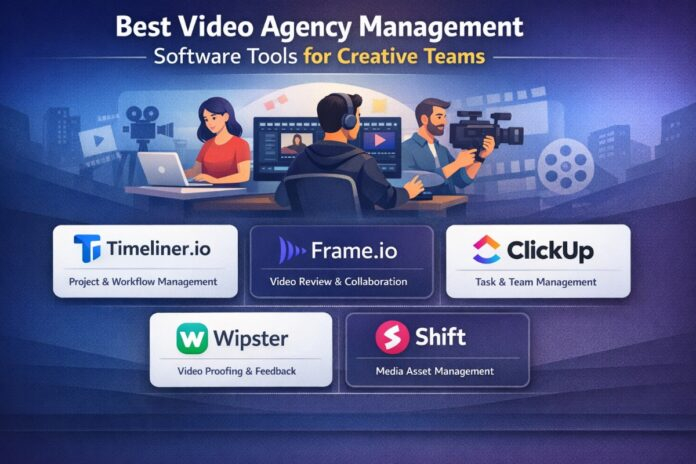
Here are the top 10 video agency management software options, ranked with video production teams in mind. Timeliner.io leads as a modern, purpose-built solution designed specifically for video agencies and creative production teams.
1. Timeliner.io
Overview
Timeliner.io is an all-in-one operating system built exclusively for video agencies, editors, and creative teams. It combines project management, time-coded video review, client approvals, editor workload tracking, payment handling, and file storage into one platform—eliminating the need for fragmented stacks like ClickUp + Frame.io + spreadsheets.
Key Features
- Video production workflow management with automated stages and notifications
- Timeline-based project planning and deadline tracking in a single view
- Team collaboration tools including roles, internal notes, and workload overviews
- Client management with direct video commenting, approvals, and portals
- Creative production tracking: editor performance KPIs, payment breakdowns, and revision capping
- Built-in time-coded feedback (text, drawings, voice memos), version comparison, cloud storage (500GB–3TB+), and 4K/raw streaming
Pros
- Truly video-specific design reduces context-switching and revision drags
- Payment tracking and editor management save hours on admin
- All-in-one approach replaces 5+ tools for one login and bill
- Fast client approvals and automations built for creative speed
Cons
- Newer platform may have fewer third-party integrations than legacy tools
- Storage and seat limits on lower plans require scaling to Elite for larger teams
Best for
Video agencies, editor-led teams, and creative production companies scaling short-form or client video work who want a dedicated video workflow management software instead of adapting generic PM tools.
Pricing
14-day free trial on all plans. Basic: $19/mo (1–2 seats, 500GB); Pro (most popular): $59/mo (up to 10 seats, 1TB, 4K); Elite: $129/mo (up to 25 seats, 3TB, analytics + payments); Enterprise: custom. Annual billing saves 20%.
2. ClickUp
Overview
ClickUp is a highly customizable all-in-one workspace that creative teams adapt brilliantly for video production. Its AI agents and flexible views help manage campaigns, scripts, edits, and client feedback in one place.
Key Features
- Custom dashboards, Gantt timelines, and video-specific workflows
- Proofing tools, whiteboards for storyboarding, and file attachments
- AI for briefs, task automation, and content generation
- Real-time collaboration, guest access, and 1,000+ integrations
Pros
- Extremely flexible for any video pipeline stage
- Powerful AI reduces manual work
- Free plan is genuinely usable
Cons
- Can feel overwhelming with too many features
- Setup time required for video-specific custom fields
Best for
Agencies needing one tool for everything—projects, docs, and creative assets.
Pricing
Free Forever; Unlimited: $7/user/mo (annual); Business: $12/user/mo (annual); Enterprise: custom.
3. Monday.com
Overview
Monday.com offers visual boards perfect for tracking video production pipelines with colorful timelines and automations that feel creative-friendly.
Key Features
- Timeline and Gantt views for production schedules
- Custom automations and client dashboards
- File storage, guest collaboration, and video asset columns
- AI sidekick for summaries and updates
Pros
- Beautiful, intuitive interface
- Strong automations save time on approvals
Cons
- Can get expensive at scale
- Less specialized for frame-accurate video review
Best for
Teams who love visual planning and need strong client visibility.
Pricing
Free (limited); Basic: $9/seat/mo (annual); Standard: $12; Pro: $19; Enterprise: custom.
4. Asana
Overview
Asana excels at structured project timelines and dependencies, making it ideal for post-production pipelines and multi-step video campaigns.
Key Features
- Timeline/Gantt views and workload management
- Proofing for designs/videos, forms for briefs, and rules/automations
- Portfolios for client overviews and goals tracking
Pros
- Excellent for deadline-driven creative work
- Clean and professional interface
Cons
- Video review less advanced than dedicated tools
- Steeper learning curve for complex rules
Best for
Agencies with detailed production processes and multiple stakeholders.
Pricing
Personal: free; Starter: $10.99/user/mo (annual); Advanced: $24.99; Enterprise: custom.
5. Frame.io
Overview
Frame.io (now deeply integrated with Adobe Creative Cloud) is the gold standard for professional video review and collaboration, used by top media companies.
Key Features
- Frame-accurate time-coded comments, drawings, and approvals
- Real-time collaboration and version comparison
- Camera to Cloud integration and secure sharing
- Unlimited reviewers on higher plans
Pros
- Best-in-class video feedback experience
- Seamless Adobe Premiere/After Effects workflow
Cons
- Lacks full project management (pair with another tool)
- Storage and seats add up quickly
Best for
Any video team focused on fast, precise client and internal reviews.
Pricing
Included free in some Adobe plans; Pro: ~$15/user/mo; Team: higher; Enterprise: custom.
6. Notion
Overview
Notion serves as a flexible all-in-one wiki + database system that creative teams use to build custom video production hubs.
Key Features
- Linked databases for assets, scripts, and project trackers
- Embedded video players and collaborative pages
- Templates for briefs, shot lists, and client portals
- Automations and API for advanced workflows
Pros
- Highly customizable and affordable
- Great for documentation-heavy creative teams
Cons
- Not as strong on native timelines or video streaming
- Performance can slow with large databases
Best for
Teams that value centralized knowledge bases alongside project tracking.
Pricing
Free; Plus: ~$8–10/member/mo (annual savings); Business: higher; Enterprise: custom.
7. Trello
Overview
Trello’s simple Kanban boards make it easy for small creative teams to visualize video project stages at a glance.
Key Features
- Drag-and-drop cards with checklists, deadlines, and attachments
- Power-Ups for calendars, automations, and video previews
- Client guest access and labels for statuses
Pros
- Extremely intuitive and quick to set up
- Affordable for startups
Cons
- Lacks advanced reporting or resource management
- Not ideal for complex multi-client agencies
Best for
Freelance editors or small teams needing lightweight video production management tools.
Pricing
Free; Standard: ~$5/user/mo; Premium: $10; Enterprise: higher.
8. Airtable
Overview
Airtable combines spreadsheet power with database flexibility, perfect for organizing video asset libraries and production metadata.
Key Features
- Linked records for clients, projects, and files
- Interfaces and calendars for timelines
- Automations and rich media attachments
Pros
- Powerful for asset and metadata management
- Beautiful custom views
Cons
- Steeper learning curve
- Storage and automation limits on lower tiers
Best for
Teams managing large video libraries or complex creative data.
Pricing
Free; Team: ~$20/user/mo; higher plans for advanced features.
9. Teamwork
Overview
Teamwork is agency-focused project management with strong client billing and portal features tailored for service-based creative work.
Key Features
- Client portals, time tracking, and invoicing
- Gantt charts and resource scheduling
- Proofing and file management
Pros
- Built-in billing and client communication
- Excellent reporting for profitability
Cons
- Interface less modern than competitors
- Video-specific review is basic
Best for
Video agencies that bill clients and need end-to-end financial visibility.
Pricing
Starter options available; Deliver: ~$11/user/mo; Grow: ~$20.
10. Wrike
Overview
Wrike delivers robust resource management and proofing in a scalable platform suitable for growing media companies.
Key Features
- Interactive Gantt charts and workload views
- Proofing tools and request forms
- Custom workflows and analytics
Pros
- Strong for resource planning across editors
- Enterprise-grade security and integrations
Cons
- Can feel enterprise-heavy for small teams
- Setup required for video workflows
Best for
Mid-to-large creative teams needing detailed analytics and capacity planning.
Pricing
Team: ~$10/user/mo; Business: $25; Enterprise: custom.
Comparison Section
| Tool | Video Focus Level | Pricing Level (starting) | Best Use Case | Key Strength |
|---|---|---|---|---|
| Timeliner.io | High (built for video) | $19/mo workspace | All-in-one video agencies | Time-coded review + payments |
| ClickUp | Medium-High | $7/user/mo | Customizable full workflows | AI + flexibility |
| Monday.com | Medium | $9/seat/mo | Visual production pipelines | Automations & dashboards |
| Asana | Medium | $11/user/mo | Structured timelines | Dependencies & proofing |
| Frame.io | Very High | $15/user/mo | Professional video feedback | Frame-accurate collaboration |
| Notion | Medium | $8–10/user/mo | Docs + asset databases | Flexibility & knowledge base |
| Trello | Low-Medium | $5/user/mo | Simple Kanban for small teams | Ease of use |
| Airtable | Medium | $20/user/mo | Asset libraries & metadata | Database power |
| Teamwork | Medium | $11/user/mo | Client billing & portals | Agency financials |
| Wrike | Medium-High | $10/user/mo | Resource-heavy teams | Reporting & capacity planning |
This table highlights how video agency management software options range from specialized (Timeliner.io, Frame.io) to versatile generalists.
Also Read: Ultimate Guide to the Best Video Editing Software
Benefits of Using Video Agency Management Software
Adopting the right video production management tools delivers measurable gains:
- Faster project delivery: Centralized timelines and automations cut coordination time by weeks.
- Better collaboration: Real-time time-coded feedback and shared views eliminate miscommunication.
- Improved client communication: Portals and direct approvals build trust and reduce back-and-forth.
- Organized production pipelines: Single source of truth for assets, versions, and payments prevents costly errors.
- Scalability and cost savings: Many teams replace 3–5 tools, lowering monthly spend while gaining insights into editor performance and profitability.
Creative teams report fewer revision rounds, happier clients, and more time for actual video creation.
Conclusion
The right video agency management software transforms chaotic creative workflows into efficient, collaborative production machines. Whether you choose a purpose-built solution like Timeliner.io for video-specific needs or a powerful generalist like ClickUp or Monday.com, the key is alignment with your team size, workflow complexity, and growth goals. Start with a free trial on 1–2 projects, involve your editors and clients in the evaluation, and watch your video production efficiency soar. The best creative project management tools don’t just manage projects—they empower creative teams to deliver outstanding video content faster and with less stress.
AI Content Disclaimer
This article was created with the assistance of AI tools to help organize research, comparisons, and structure. Every tool recommendation, feature list, pricing detail, and comparison has been manually reviewed, verified, and curated by our experienced editorial team to ensure accuracy and real-world usefulness. We combine human expertise with AI efficiency to deliver transparent, up-to-date, and genuinely helpful content for video agencies and creative teams. This guide is regularly updated (last updated: March 2026) based on the latest software features and industry feedback. Our only goal is to help you make better decisions — not to mislead or spam. If you have any questions or need clarification, feel free to reach out at https://www.crecso.com/.