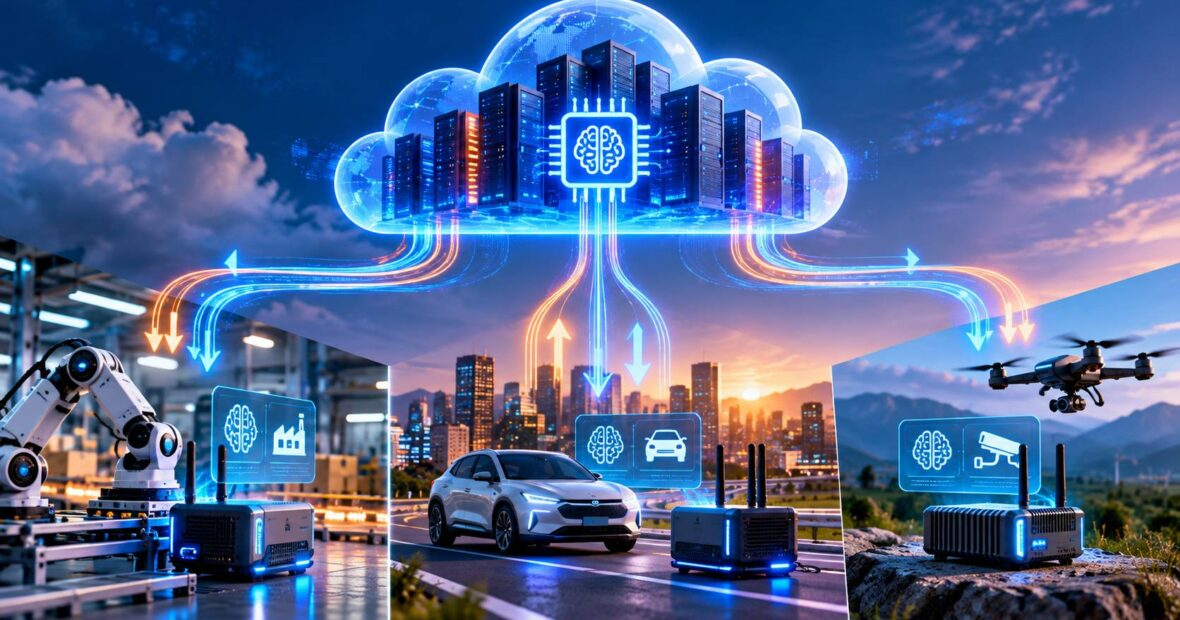
Not every AI task belongs in a data center. A smartphone can transcribe speech, a factory camera can spot defects and a delivery scanner can read labels without sending anything to the cloud. Yet the biggest models, long-term memory and fleet-wide learning still need serious cloud compute. The smartest AI products now move work between the two, choosing the right location for each task in real time.
Designing AI applications that span cloud servers and edge devices is quickly becoming a core skill for product and IT teams. It affects speed, privacy, cost and reliability. Get the split wrong and you either drain device batteries or send every request on a costly round trip to the cloud. At CRECSO, we help US manufacturers, retailers and app companies plan hybrid AI architectures that work in the field, not just in the lab.
In this guide, you will learn when to run AI at the edge versus the cloud, how to design a hybrid routing layer, how Apple built this approach into Apple Intelligence, the common mistakes and a practical roadmap for your own hybrid AI application.
Why Split AI Between Cloud Servers and Edge Devices?
Each location has clear strengths:
| Factor | Edge Devices | Cloud Servers |
|---|---|---|
| Latency | Very low, no network trip | Higher, depends on network |
| Privacy | Data stays on device | Data leaves the device |
| Model size | Small models only | Largest models available |
| Cost per request | Near zero after hardware | Pay per use |
| Offline use | Works without internet | Needs connectivity |
| Updates | Harder to roll out | Instant |
Small models have improved fast. Compact models with one to eight billion parameters, such as Mistral’s Ministral edge models, can run on laptops, phones and industrial gateways while handling many everyday tasks well.
How to Design AI Applications for Cloud Servers and Edge Devices
1. Classify Every AI Task
Sort tasks by latency need, privacy sensitivity and complexity before deciding how to split them across cloud servers and edge devices. Quick, private and simple tasks go to the edge. Heavy reasoning and tasks needing shared data go to the cloud.
2. Build a Routing Layer
The link between cloud servers and edge devices is a routing layer. This small decision layer on the device checks the task, battery, connectivity and confidence level. If the local model is unsure, it escalates to the cloud.
3. Keep Models in Sync
Use a model registry in the cloud and over-the-air updates to push new versions to devices in stages.
4. Handle Offline Mode
Queue requests and results locally when connectivity drops, then sync once the device reconnects.
5. Learn Centrally
Send anonymized feedback or aggregated metrics back to the cloud to improve models. Federated learning can help when raw data must stay on devices.
Our embedded software development team builds the device side of these systems.
Real Business Example: Apple Intelligence and Private Cloud Compute
Business challenge: Apple wanted to add generative AI to iPhone, iPad and Mac without breaking its long-standing privacy promises to customers.
Solution: Announced in 2024, Apple Intelligence runs a compact on-device model for many tasks and sends more complex requests to Private Cloud Compute, servers built on Apple silicon.
Implementation: Apple says data sent to Private Cloud Compute is used only to fulfill the request and is not stored. It also published server software images so independent security researchers can inspect the system.
Outcome: Users get fast, private results for everyday tasks and access to larger models when needed, all within the same experience.
Business impact: The design shows that hybrid AI can be a selling point. Privacy, speed and capability do not have to be a trade-off when the routing is well designed.
Pros and Cons of Hybrid Cloud and Edge AI
| Pros | Cons |
|---|---|
| Faster responses and offline support | More complex testing across devices |
| Lower cloud costs for routine tasks | Edge hardware must be managed and updated |
| Better privacy for sensitive data | Model versions can drift between devices |
Best Practices
- Set clear rules for which tasks escalate from edge devices to cloud servers.
- Quantize edge models to fit memory and battery limits.
- Roll out model updates to a small device group first.
- Encrypt data in transit and at rest on both sides.
- Monitor edge model accuracy, not just uptime.
Supply chain teams often apply this pattern to scanners and warehouse cameras, as described on AI for supply chain.
Common Mistakes to Avoid
- Sending every request to the cloud by default.
- Shipping edge models too large for the target hardware.
- No plan for updating models on thousands of devices.
- Ignoring how the app behaves offline.
How to Get Started
- List AI tasks and rate each by latency, privacy and complexity to decide the balance between cloud servers and edge devices.
- Benchmark small models on your actual devices.
- Build a routing layer with confidence-based escalation.
- Set up a cloud model registry and staged updates.
- Pilot on a limited device fleet and measure cost, speed and accuracy.
Hybrid AI readiness checklist:
- Tasks classified edge or cloud
- Edge models benchmarked on real hardware
- Offline queue and sync tested
- Over-the-air update process in place
- Central monitoring for both sides
Factories using vision AI at the line can see related work on our manufacturing software development page.
Future Trends
Expect more powerful neural processors in laptops, phones and industrial devices, plus standard runtimes that move models between cloud servers and edge devices automatically. Telecom 5G edge zones will also add a middle layer between devices and central clouds.
Key Takeaways
- Edge AI wins on speed, privacy and offline use, while cloud wins on model power.
- A routing layer decides where each task runs.
- Model updates and monitoring must cover both cloud servers and edge devices.
Conclusion
The best AI applications no longer live in one place. By moving work smartly between cloud servers and edge devices, businesses get faster responses, better privacy and lower costs. CRECSO helps US companies design and build hybrid AI systems, from embedded devices to cloud platforms. Planning an AI product that works in the field? Talk to our app development team.